Chaperone: A visible harness for building software with AI
For non-coders, most AI coding tools are a chat box in front of a black box: you type, something happens, code appears, and you find out later whether it was the right code. Is that you? It’s me.
The product started from a few pain points I kept hitting:
AI loses the thread when several features are in flight at once.
It rewrites things that already worked.
It reports success it did not achieve, or burns an hour of tokens with nothing to show.
……
A developer catches these by instinct. Someone without that instinct finds out much later, when the project is already tangled.
Chaperone is for people who know what they want built but don't write the code themselves. It turns this AI-human co-work process into a workflow you can see and steer.
With Chaperone, you will have an AI dev team with a real progress board, not a chat log, and your project gets run the way a real engineering team would run it.
Let’s see how Chaperone hire agents into roles, gear them up with skill loadouts, and let the PM draft the spec and split the work into slices.
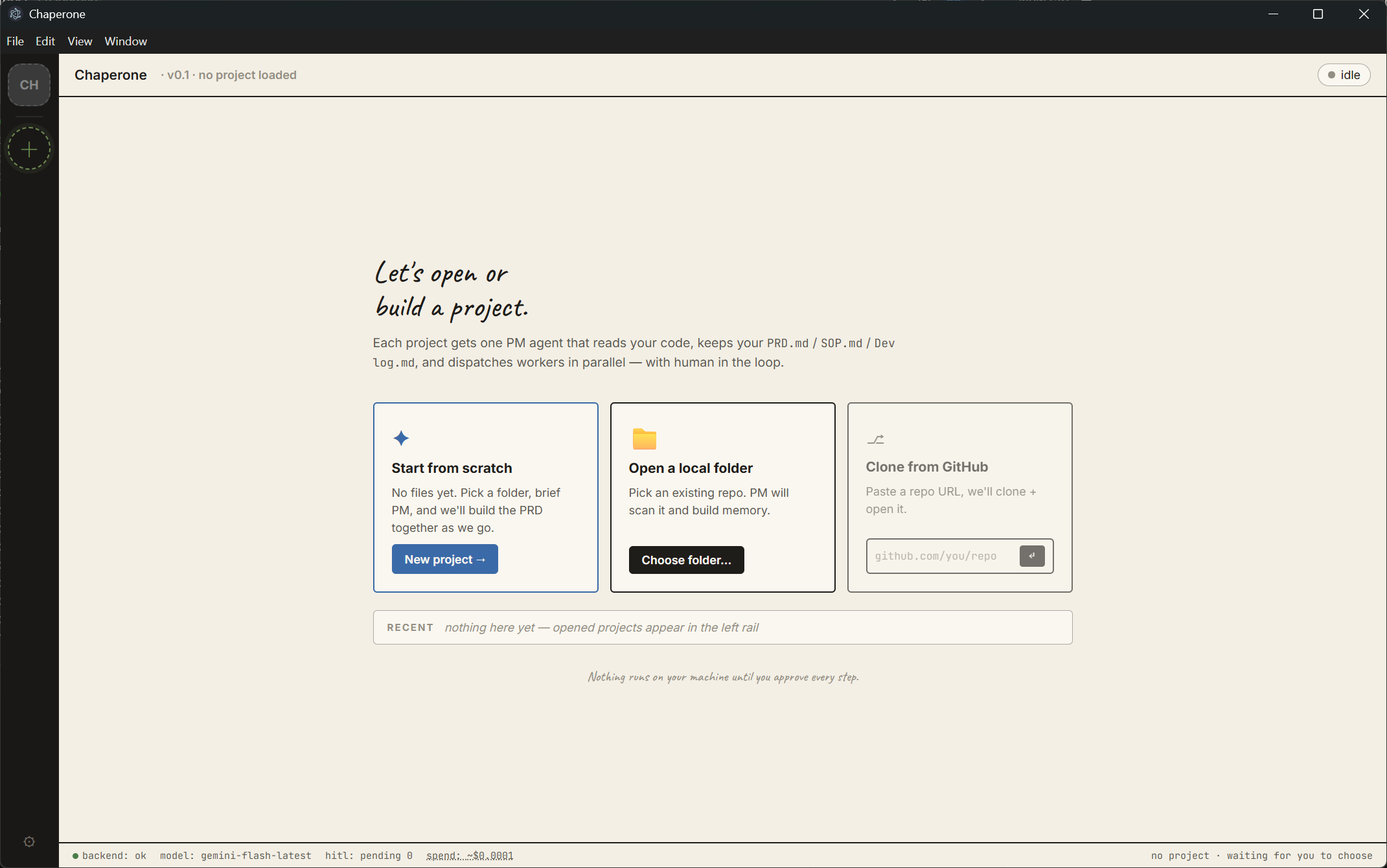
How it works
The PM reads your project first. It uses read-only tools and reports what it actually found
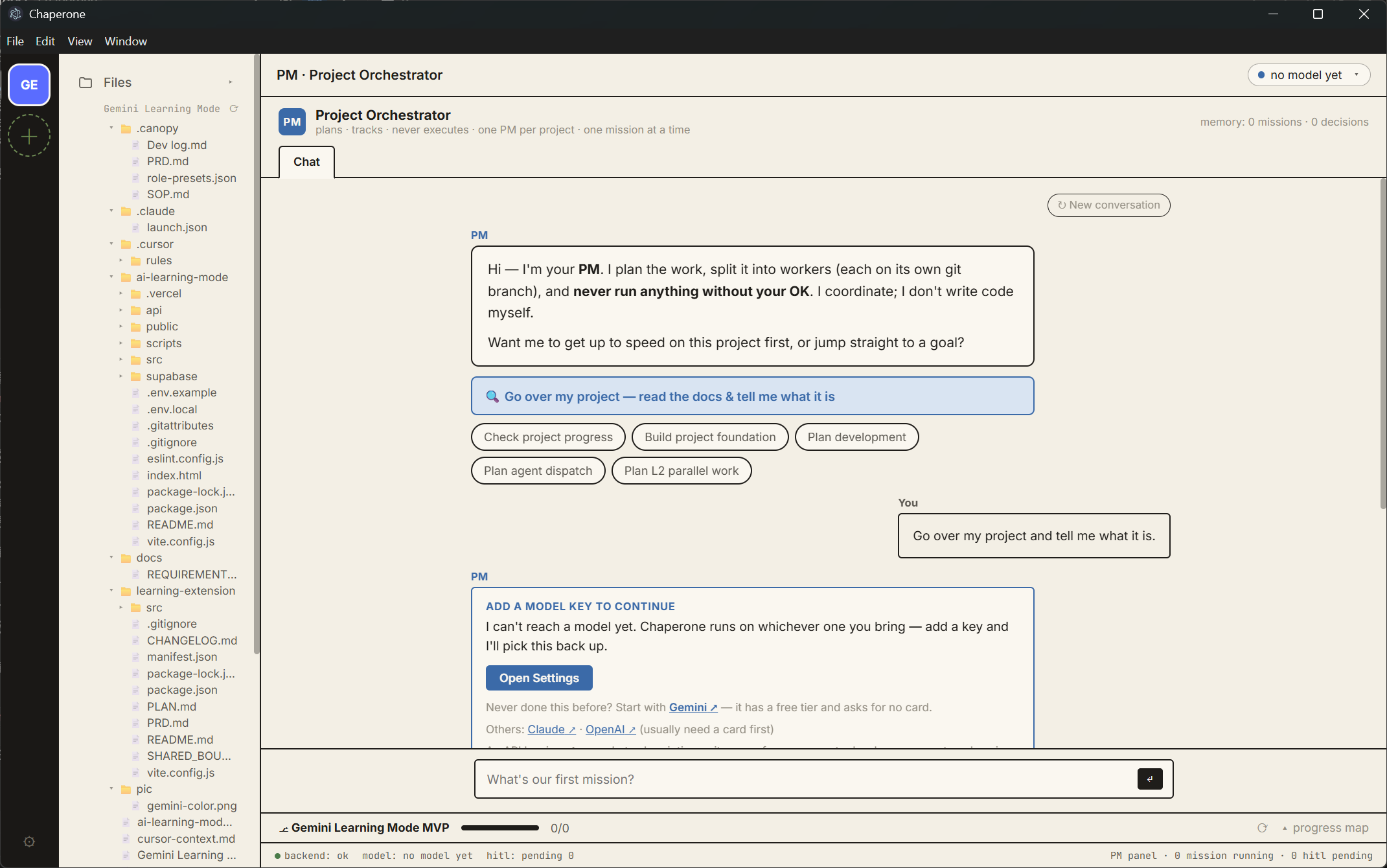
After inputting the API, PM agent will scan if you have structured specs & docs including PRD, SOP.
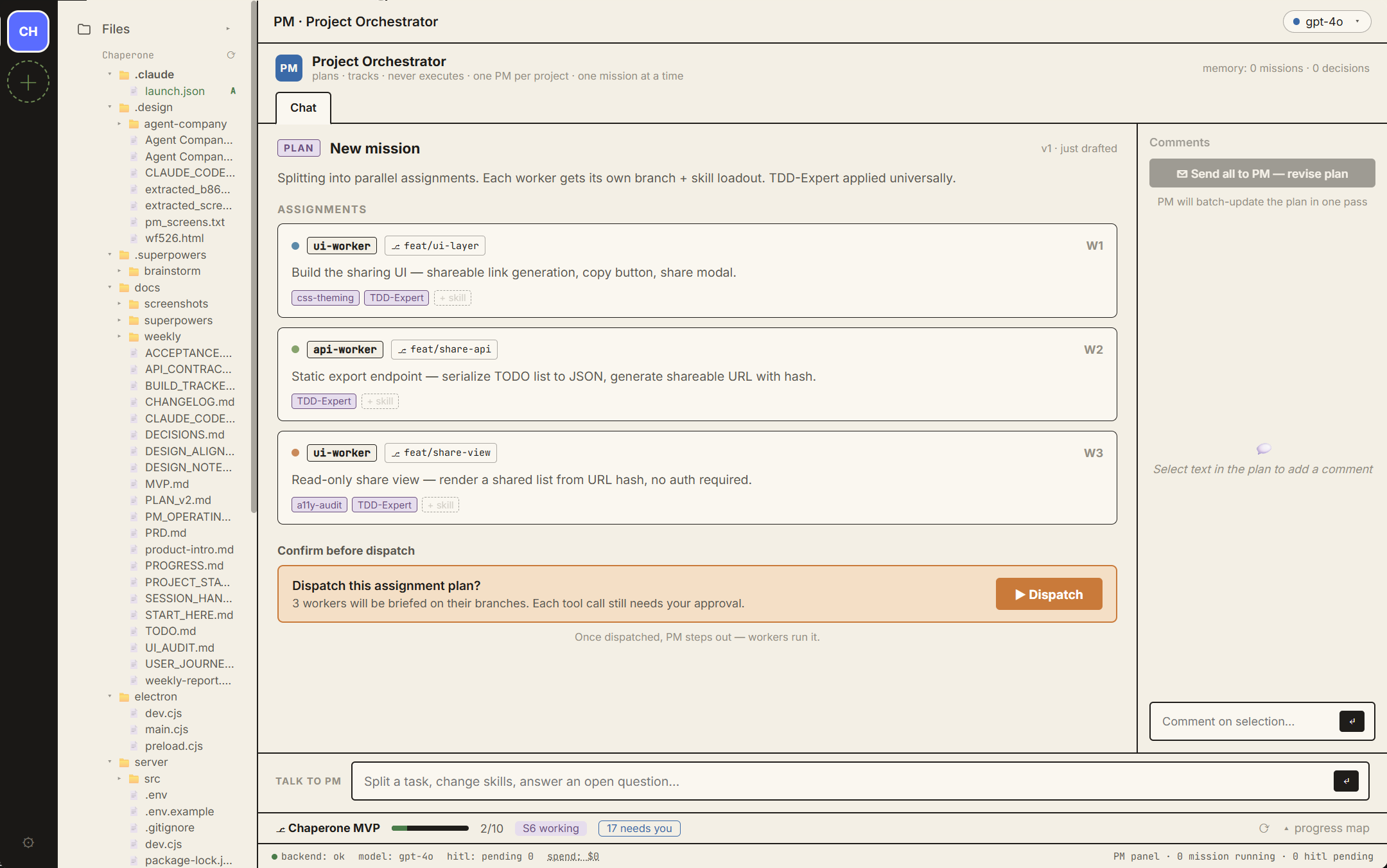
The mission plan screen. PM is ready to dispatch your tasks. Sub-agents will be initiated only when it’s necessary.
1. Hire, don't prompt. You staff agents into roles (frontend, backend, QA, DevOps, data). Each gets a branch prefix and a limited set of skills.
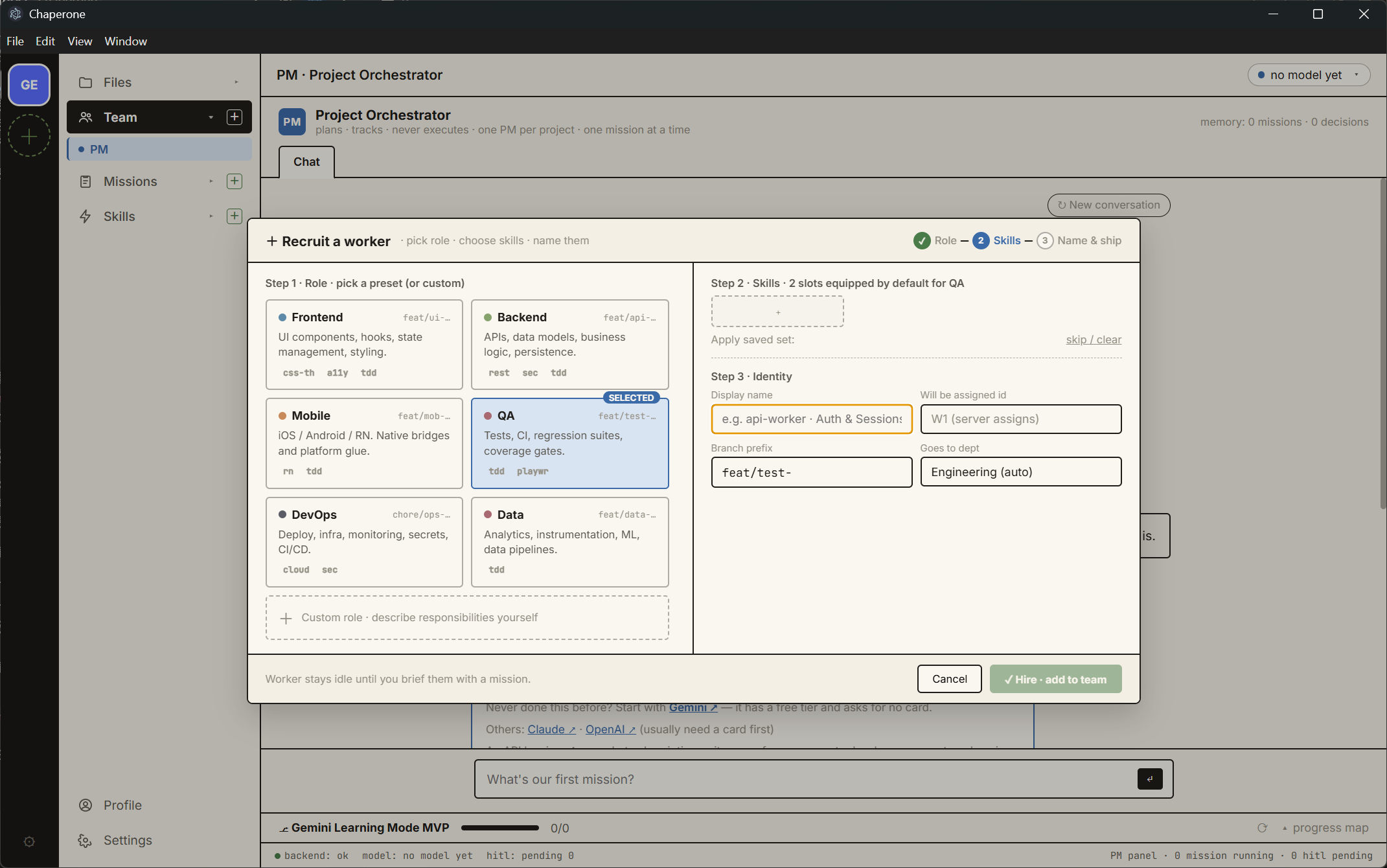
Hiring a worker takes three steps: pick a role, equip skills, name it. The branch prefix comes from the role.
2. Skills are equipment. A searchable skill library you compose into reusable sets and equip into a worker's limited slots. Arming an agent is a deliberate, visible act.
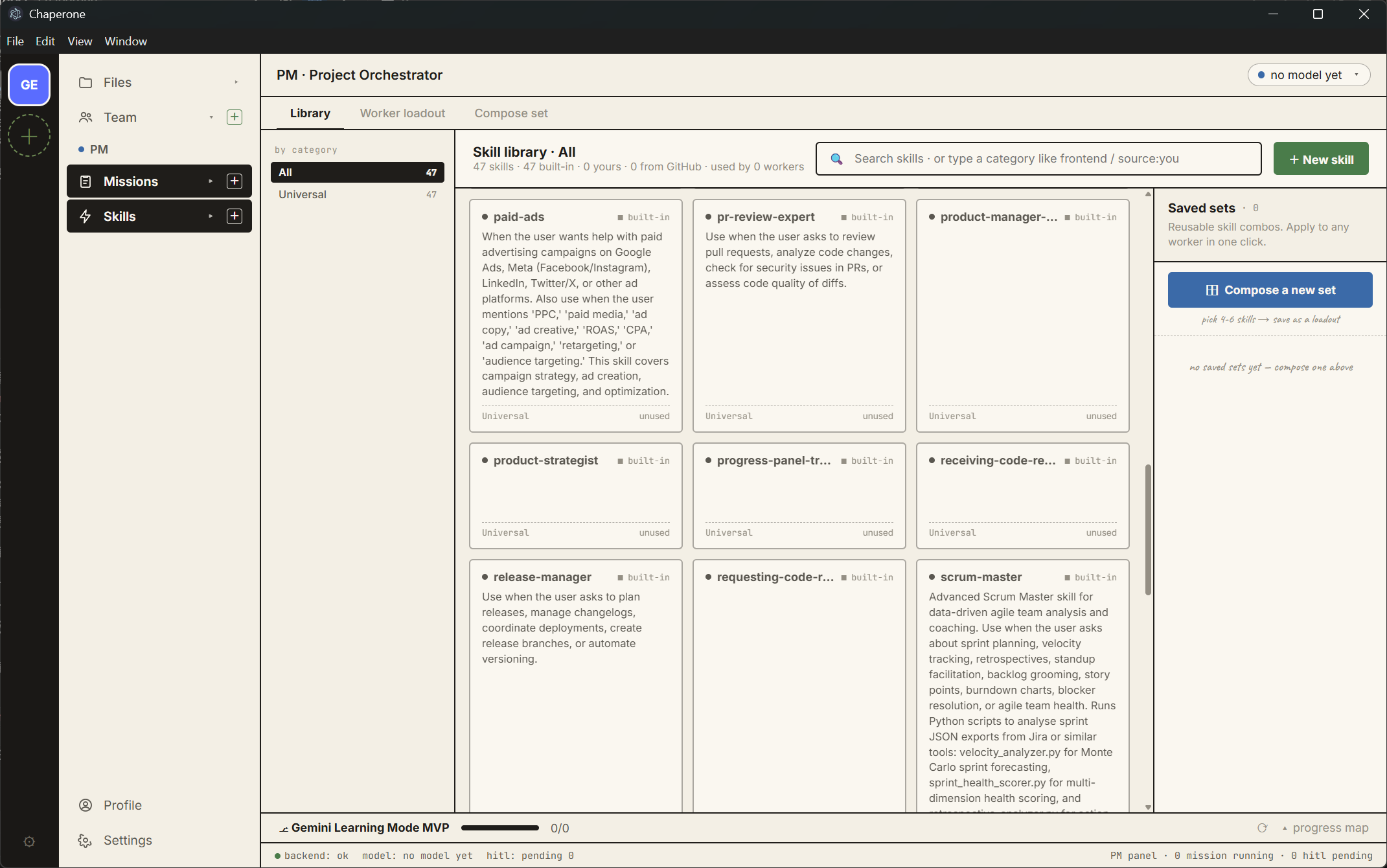
The skill library, read from your own skills folder. Search, categorise, and save reusable sets.
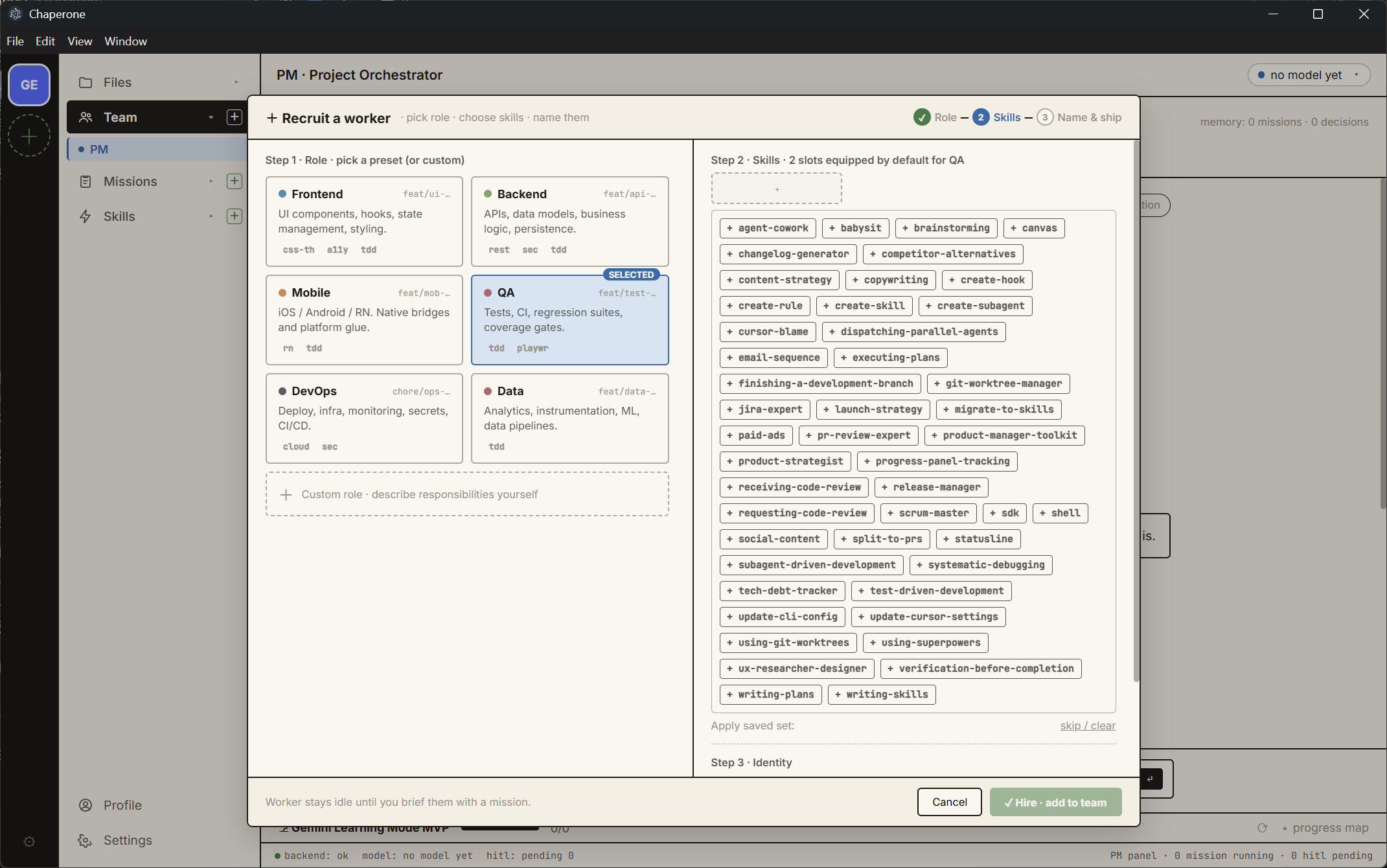
A worker's loadout. Slots are limited on purpose: arming an agent should be a visible decision.
3. Sub-tasks aren't a black box. Every worker has its own pane showing its real tool calls as they happen. You can interrupt any one of them without stopping the others.
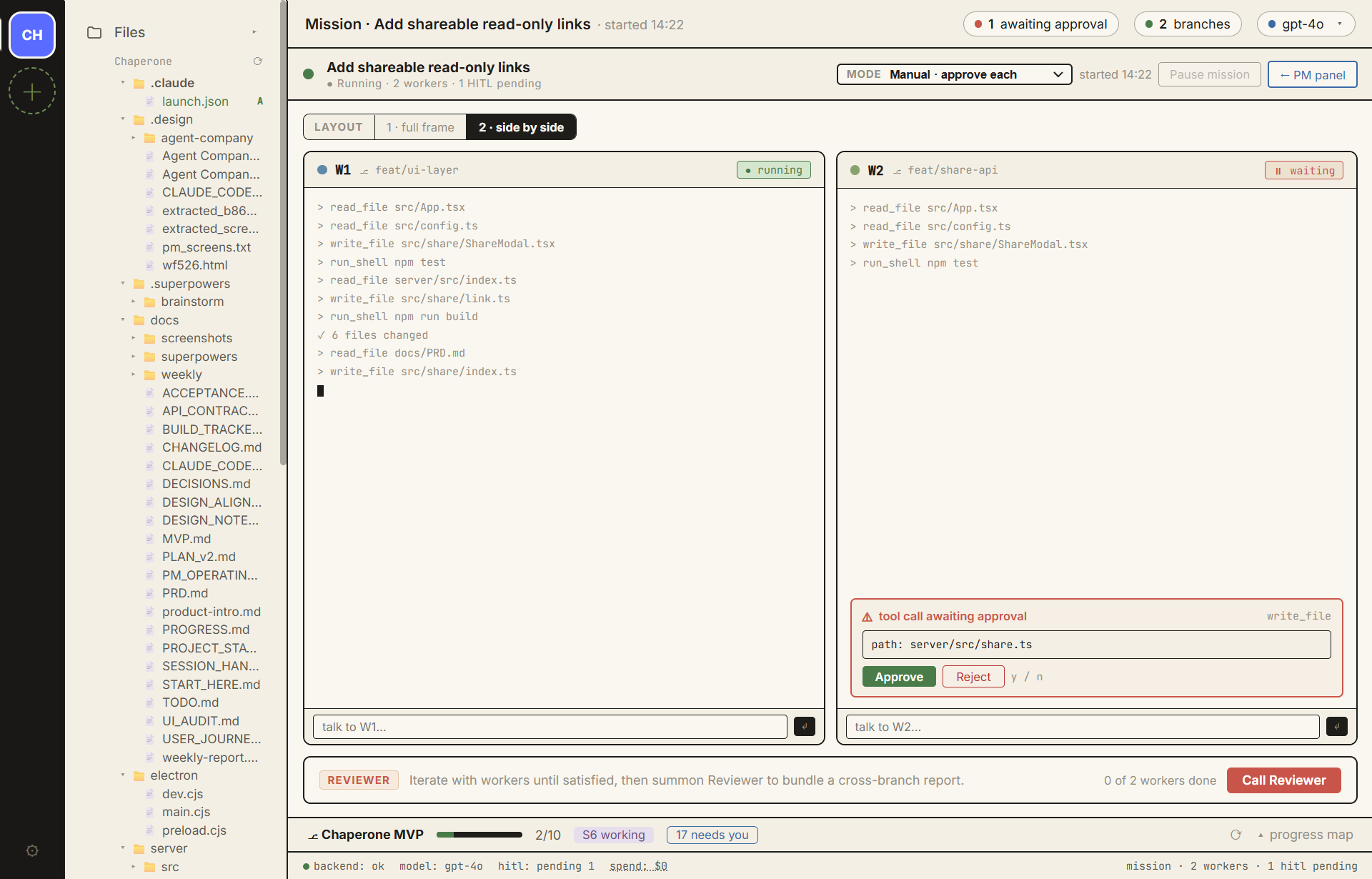
Two workers side by side. The layout follows the worker count: one fills the frame, two split it, three or four take a 2×2 grid. Parallel work can't collide, and a bad run is just a branch you don't merge.
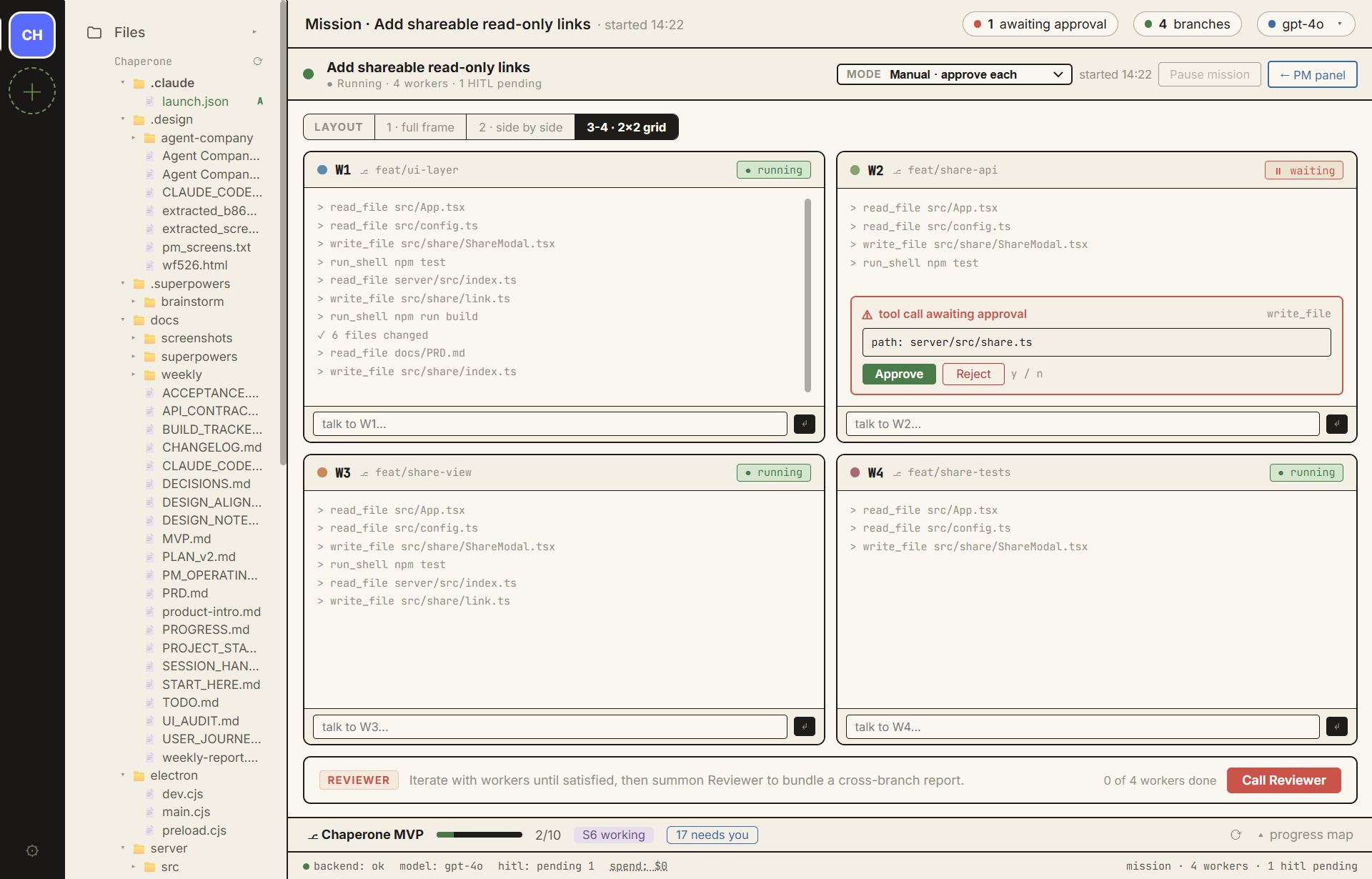
Four workers on four branches. One has stopped mid-task and is holding a file write until you approve it. Nothing touches your repo before you say so. You can loosen it to auto-approve reads, or let a whole task run. Even the loosest setting stops before the merge.
4. Any model, your key. Claude, OpenAI, Gemini, or anything OpenAI-compatible, including Kimi, DeepSeek, GLM, Qwen, or a local Ollama. The running cost is shown on screen as it accrues.
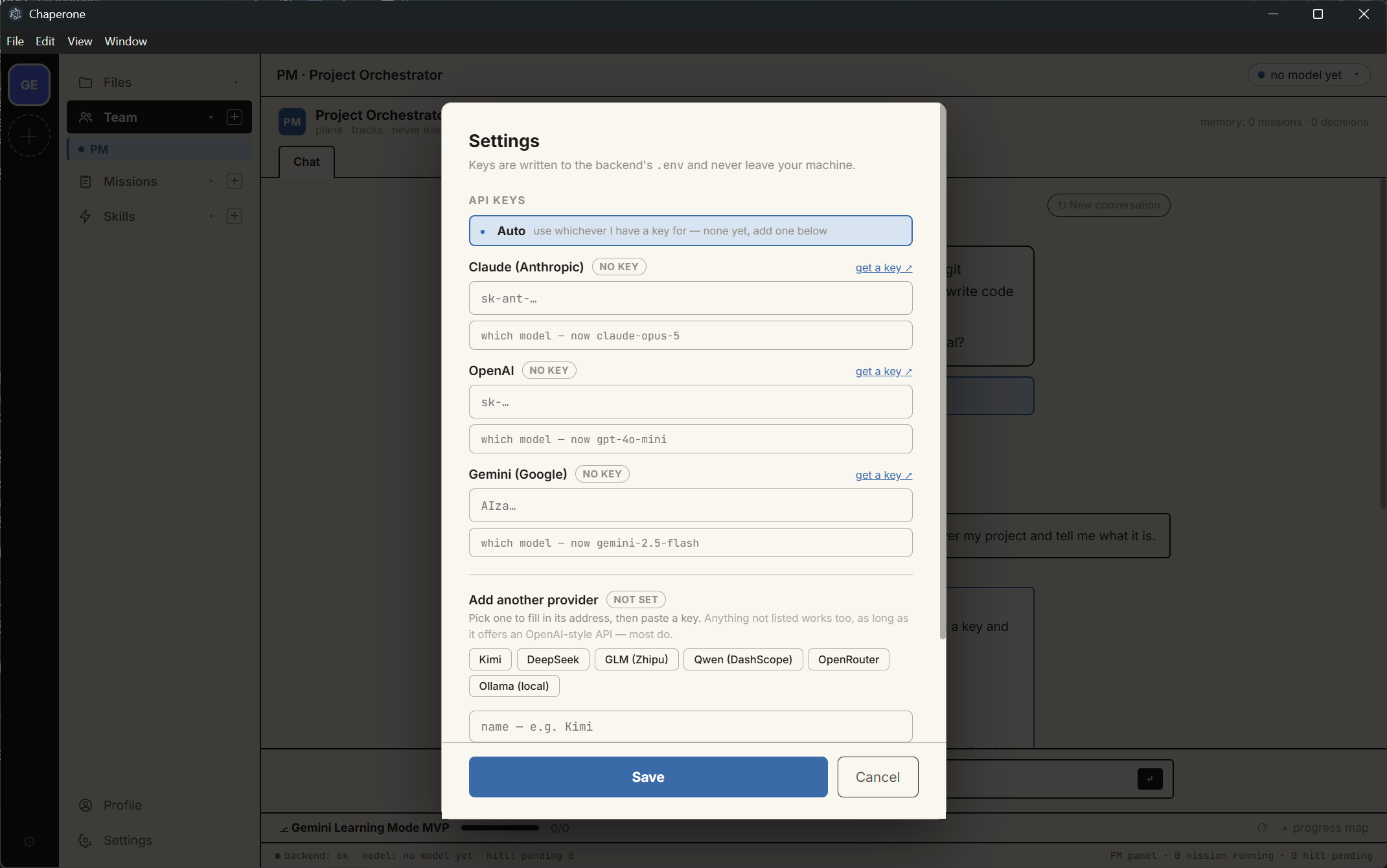
Bring your own model: Claude, OpenAI, Gemini, or anything with an OpenAI-style API.
5.The visual progress board
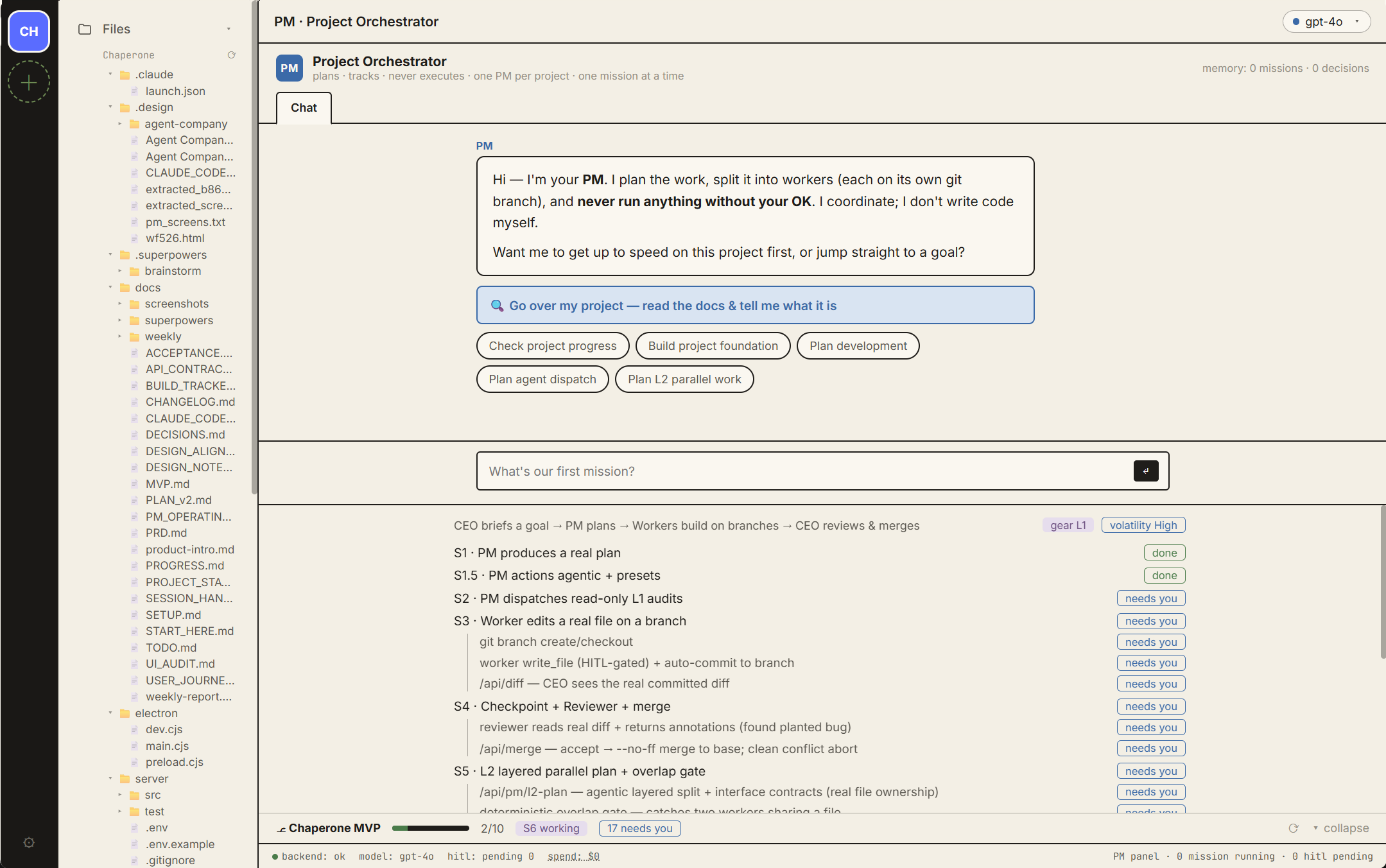
Your whole project on one panel. Work is split into slices (S1, S2, S3…), and each slice lists the checks it needs before it counts as done. Every line shows where it stands: done, working, needs you, or blocked. The bar at the bottom shows how far along you are, how many items are waiting on you, and what you've spent so far.
6.Structured progress you can trust
The board is read from a file on disk, not from the conversation. An agent saying it finished something doesn't change the board; your acceptance does.
The board also carries a "gearbox" that answers the question that sinks parallel agent work: how many agents can safely write at once? While the project's foundation is still moving, only read-only audits run in parallel. Once it settles, the PM proposes widening. Raising the gear needs your confirmation; lowering it happens automatically.
| Gear | Foundation | What may run in parallel |
|---|---|---|
| L1 | unknown or being mapped | reads only — audits |
| L2 | being built, one active slice | limited concurrent writes, within one slice, by layer |
| L3 | frozen | concurrent writes across slices |
The result is that a project gets run the way a professional team would run it: a spec before building starts, conventions kept on disk, work split into slices that can actually ship, and nothing counted as done because an agent said so. You get that whether or not you know those practices have names.
Now Open Source
Early and opinionated. The core loop works today: the PM reads the project, workers run on branches, you approve, and a reviewer reads the diffs. Parts of the UI are still drawn but not wired, and the repo lists exactly which.
Open source under AGPL-3.0. GitHub: github.com/LinzhiW/chaperone
