LLM Annotation Interface: Branch from any phrase without losing the main thread
AI chat is linear. Human thinking isn't.
When you learn something new with an AI, questions branch constantly. You hit a term you don't know, ask about it, then ask about something in that answer, and twenty messages later the original explanation is buried somewhere above. The chat only knows one direction: down.
I kept running into four problems:
Endless scrolling. Every thread lives in one vertical stack, so you constantly lose your place.
Context fragmentation. Opening a new chat for a side question means starting over, and the AI forgets the original task.
High indexing cost. Finding an earlier answer again means Ctrl+F and manual scrolling, which breaks your flow.
Branch pollution. Side questions get mixed into the main reasoning, and the final answer becomes hard to pull out.
What the research showed
I interviewed 12 people who use AI to learn or work.
I showed them two pictures: a single wavy line, and a tree that branches out from one center.
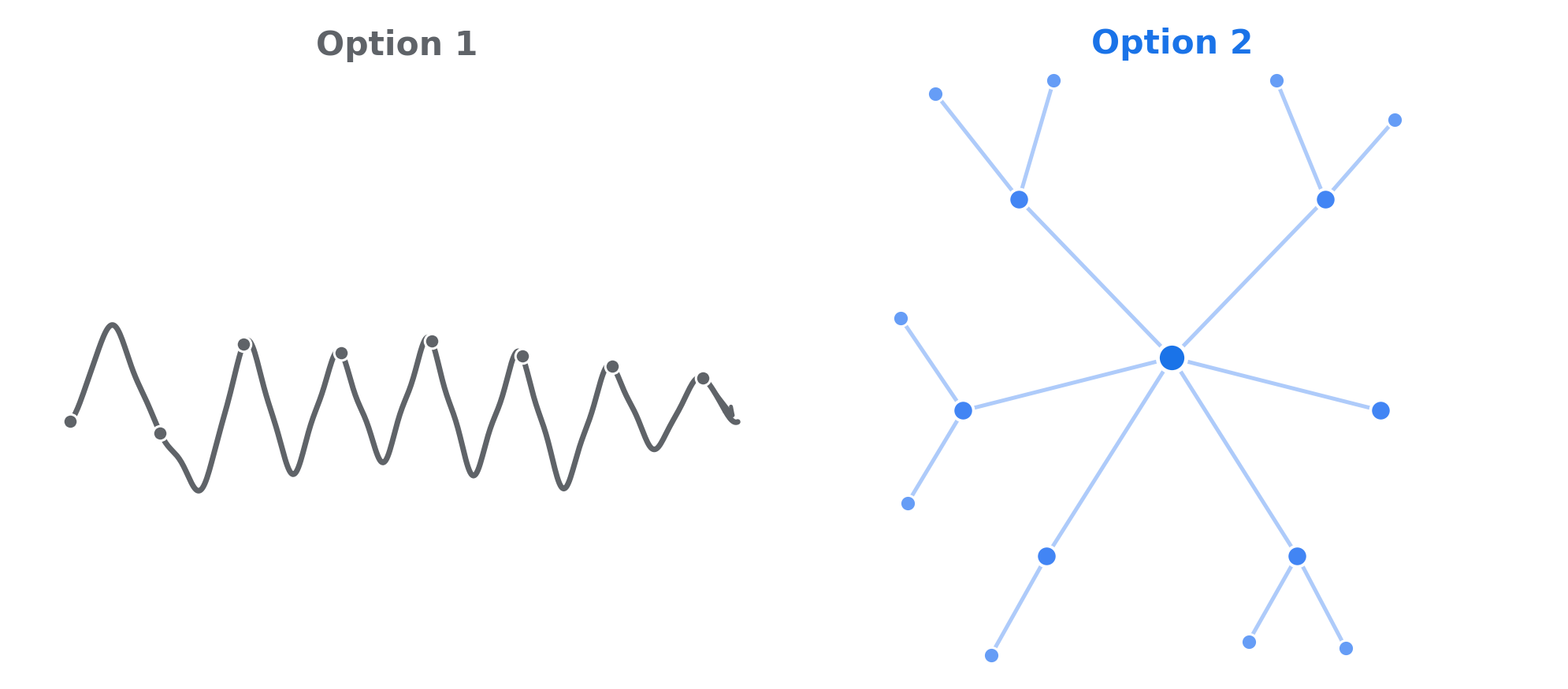
11 of 12 said their thinking works like the tree but AI chat works like the line. Over 80% of the interviewees said they would switch tools and consider paying for something that fixed it. One of them put the condition plainly: "As long as model quality doesn't degrade, I'd pay for this as an add-on."
When I asked what they do today, the same workaround words kept coming up: separate window, index, doc, notes, Ctrl+F. People were already trying to turn chat into a document by hand.
The idea: treat the answer like a document you can comment on
The main thread becomes a document. The primary conversation stays in place as a reference. It doesn't scroll away or get mixed up with side questions.
Comment on any phrase. Select a word or phrase in an answer and a small button appears next to it, the way comments work in Google Docs. Clicking it opens a side thread anchored to that exact text.
Go as deep as you need. A side thread can have its own side threads. They open to the right as new columns (L1, L2, L3), and each one is a separate conversation that still knows where it came from.
Version 1: A web prototype of LLM Annotation
I built the first version as a web app that mirrors the Gemini interface and its Guided Learning mode, for PM Boot Camp 2026. The goal was for it to feel like Gemini first, so the annotation layer reads as a natural extension rather than a new product to learn.
Feel free to try it here: https://linzhi-gemini-learningmode.vercel.app/
How it compares today
Since I started, ChatGPT and Gemini have both added a way to branch a conversation, and ChatGPT and Claude now let you quote a selected passage in your next message. As far as I can tell, none of them has a built-in way to open a side thread on the same page, right next to the text it came from, that can branch again. Here is how they compare, based on each product's built-in features as of September 2026 (browser extensions add some of this):
| ChatGPT | Gemini | Claude | My LLM Annotation | |
|---|---|---|---|---|
| Ask about a selected phrase | “Ask ChatGPT” quotes it into the main chat | Not built in | “Reply” quotes it into the main chat | Opens a side thread right next to the phrase |
| Branch the conversation | “Branch in new chat” opens a separate chat | “Branch in new chat” opens a separate chat | Only by editing an earlier message | Inline, on the same page |
| Keep side questions out of the main thread | Only by moving to another chat | Only by moving to another chat | No | Each side question stays in its own card |
| Branch again from a branch | Each branch is another new chat | Each branch is another new chat | No | L1, L2, L3 and deeper, all visible at once |
| Look back at earlier messages | A list of your questions to jump to | Scroll back | Scroll back | Click a highlight or a card to jump between the text and its thread |
Built-in features as of September 2026. Browser extensions add quoting and side panels to some of these tools.
It runs on the Gemini API and is deployed on Vercel. Beyond the branching itself, it supports image upload and paste, copying any single answer, downloading the whole conversation as a Word document, and a chat history that remembers each tester without requiring an account.
Try it: linzhi-gemini-learningmode.vercel.app
What's next
The interviews had a catch: people liked the idea, but nobody wanted to leave the AI they already pay for. So I've started bringing the same comment-and-branch layer to ChatGPT, Gemini, and Claude as a Chrome extension. It's still early and not ready to use.
For the first round of testing, I set three targets: 40% of sessions include at least one annotation, 20% of people who annotate go two levels deep or more, and 35% of testers come back within 7 days. Further out: a mind-map view of the whole conversation, and AI-suggested places to branch.
